Picture a four-person studio that ships a build every Thursday with Claude Code (an illustrative team that builds by vibe coding, describing features to the agent in plain language). On Monday someone asks whether the new onboarding helped. The answer sits in an analytics tab that one person learned months ago and the other three never open, so shipping got faster while answering a basic release question still depends on one teammate.
For a team of two to ten people, much of the cost of growth work comes from learning and keeping up a second tool, and in a team of four the person who learns it is also shipping the build. Once AE CLI is installed, the coding agent the team already uses can carry that work too, from a tracking plan to a saved push draft. AE CLI is a command-line client that lets local agents such as Codex, Claude Code and WorkBuddy query data, build dashboards, manage tracking and follow up on engagement from a request in plain language. The hands-on growth loop guide has commands and prompts for tracking plans, instrumentation, a debug check, a knowledge base, dashboards and re-engagement, so this post covers what changes for the team, what stays with a person and what has to be in place first.
The questions pile up after each release
Small teams that build with coding agents tend to release weekly, and every release raises the same questions about whether a new level kept players longer, whether a paywall change reduced trial starts, and which channel brought in the users who stayed. In most stacks those answers sit behind a separate dashboard and a separate set of habits, so they wait until someone has a free afternoon.
The usual fix is to hand the analytics job to one person. In an illustrative team of five, that person spends part of every week in a tool the other four never touch, and the work stalls whenever that person is busy shipping. The AE CLI docs say growth teams can query experiment configurations, metric trends and experiment reports "with less switching back and forth between pages." For a small team, the benefit is that release data can be checked through the same coding agent that wrote the release.
Six stops from tracking to a sent push
The loop has six stops. Drafting a push, submitting it for approval and sending it are separate actions.
- Plan the tracking. You describe the user path and the metrics you care about, and the agent returns a draft plan with event names, trigger timing, properties and validation methods.
- Ship the instrumentation. Codex or Claude Code can generate tracking code from that plan as snippet files in the repository you already work in.
- Read the numbers. The agent queries trends and funnels, and you ask it to include the event, definition, time range and filters behind each number.
- Look for the cause. Each round changes one dimension, and the items marked "to be verified" in one round become the questions for the next.
- Draft a push. The agent drafts an engagement task for the audience you chose and saves it as a draft.
- Submit and send. Saving the draft, submitting it for approval and sending it are separate actions.
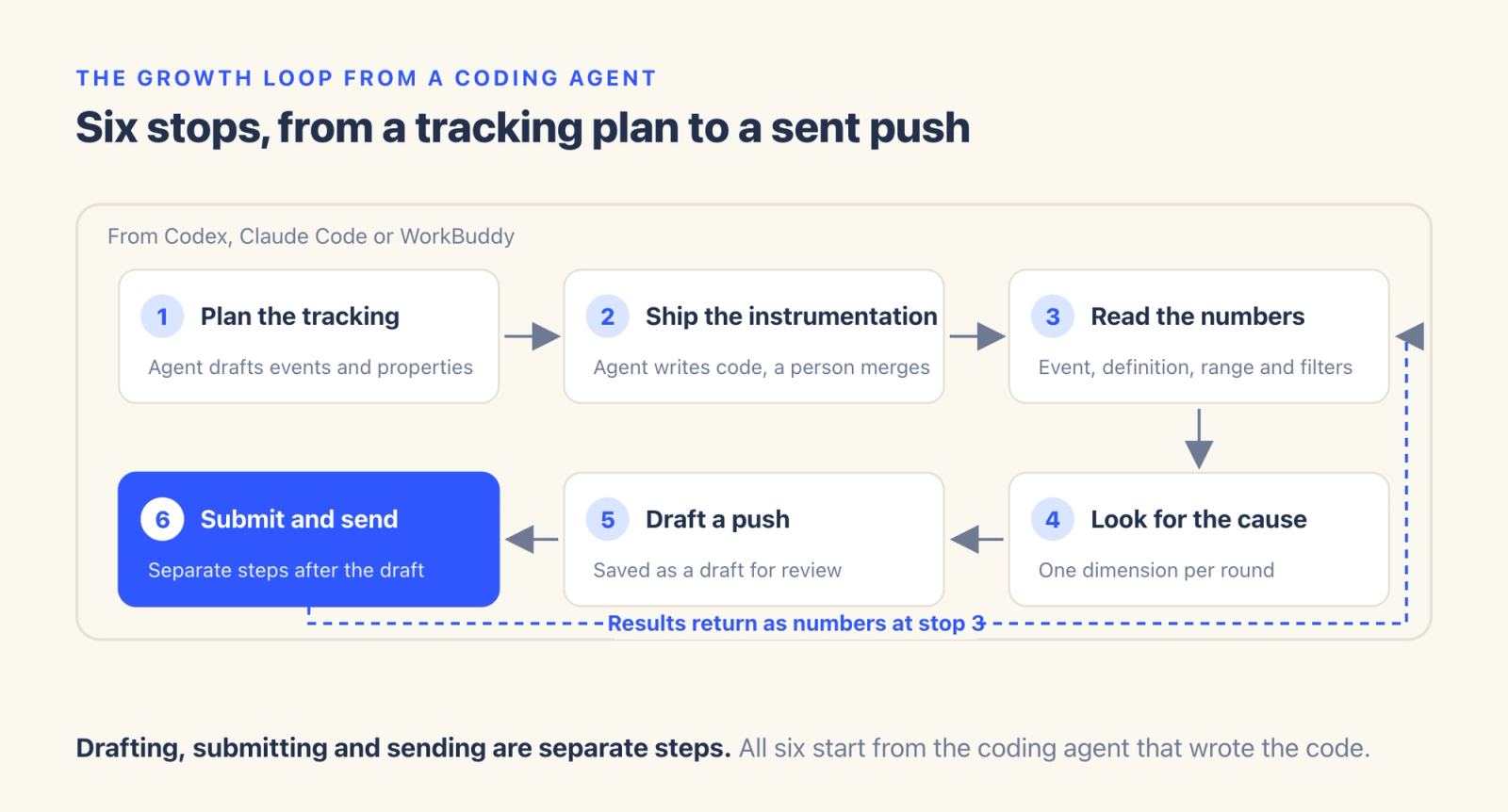
The team then reads the results of the push at stop three and uses them to shape the next round. For a weekly release cycle, the bigger change is where the work happens. Keeping the tracking plan beside the feature code makes it easier to compare event names, trigger timing and the generated code before the code merges.
Who does what at each stop
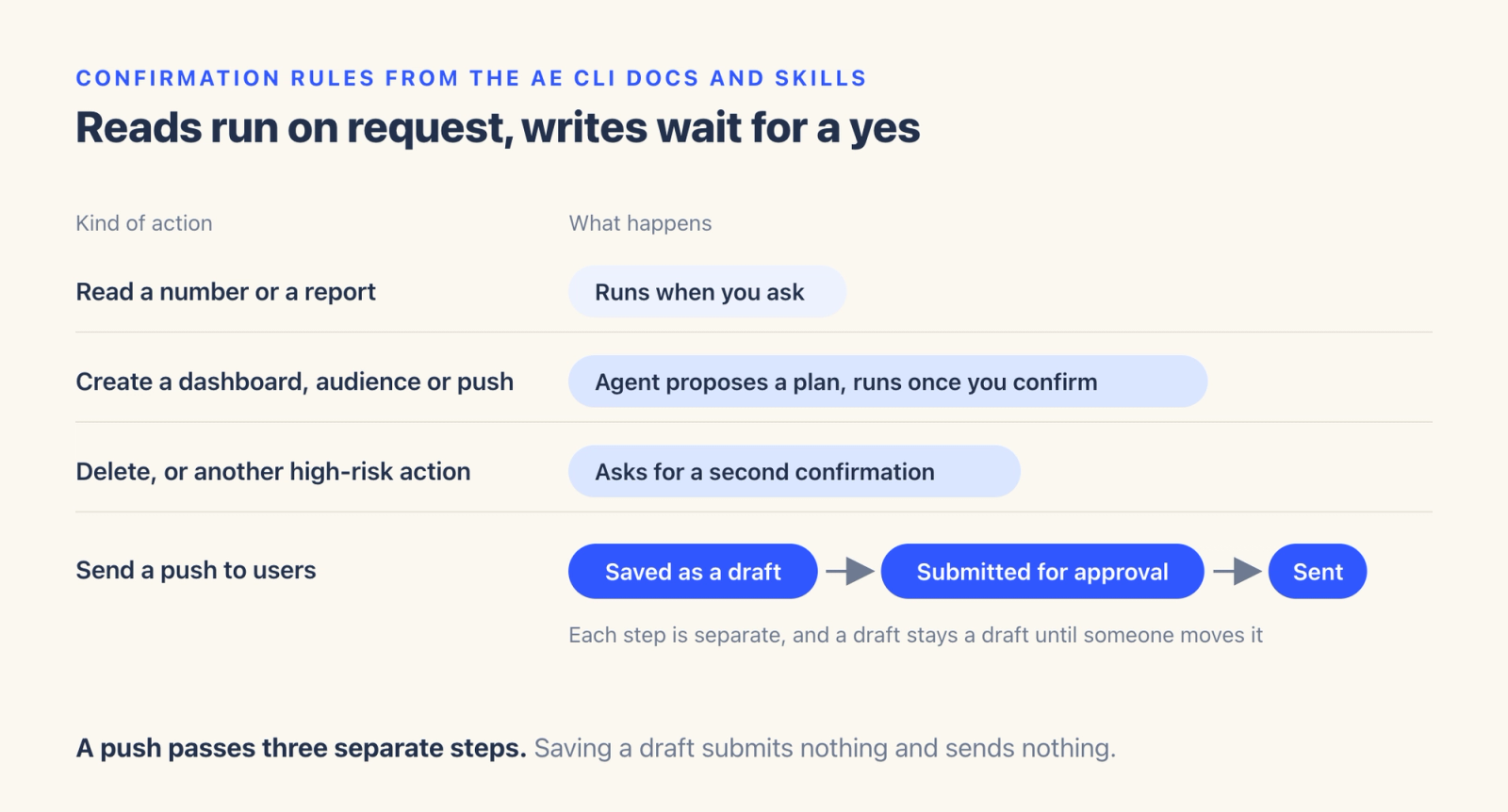
The agent does the legwork in this loop, and a person makes every call that changes what users see. The CLI uses exactly your account and project permissions, so the agent reaches only what the person who authorized it can reach. Writes happen only when you ask. The skills that ship with the CLI tell the agent what to confirm before a write, and for a new dashboard, audience or push the docs say to have the agent propose a plan first and run it once you confirm. Deletes and other high-risk actions ask for a second confirmation. Pushes are saved as drafts, and submitting for approval and sending are separate steps.
Query results also need review. The docs suggest asking four things of every number the agent returns, namely which event, which metric definition, what time range and what filters. They also suggest keeping facts and judgments apart and marking anything speculative as to be verified. For example, day-one retention falling from 41% to 36% after a release (illustrative numbers) is a fact. The new tutorial causing that drop is a hypothesis. Follow-up queries can examine other explanations, such as a shift in where new users came from, while a well-designed randomized test can support a causal conclusion.
A six-person studio, before and after
The UNDERDOX case study shows what this looks like at small-team scale. At UNDERDOX, six people handle this work, and the studio built its 4X strategy game in about six months. In the earlier way of working the case describes, one data question passed through nine teams and took one to two weeks to answer. Today one or two people get an answer to the same kind of question on the same day. Three days passed between identifying a problem and finalizing the Temple design, with implementation and deployment as separate steps.
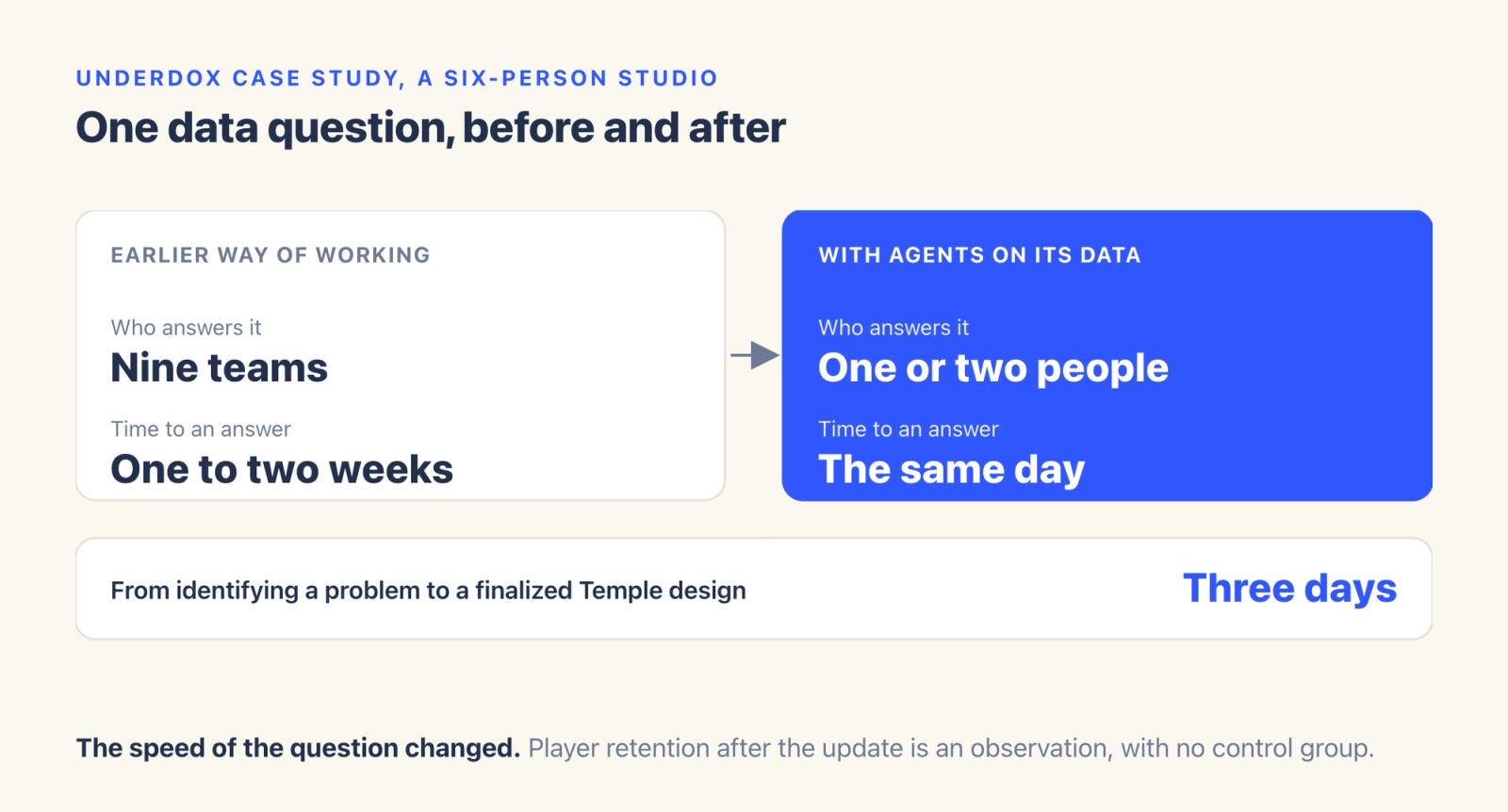
Min-seok Kang of UNDERDOX states the precondition directly. "Agents can do this work because the data is already accurate and together in one place." The case also has a limit. Players staying after the Temple update is an observation, and the case presents no control group or A/B test results that would show the Temple as the cause. What the case does show is a shorter path from a data question to an answer.
What has to be true first
AE CLI is the command-line client for Agentic Engine, the user-insight and growth engine behind AI agents that ThinkingAI builds. The loop depends on accurate, consistently defined project data. The docs list Agentic Engine 6.x, an account with access to the target project, the address your admin provides, Node.js 20 or later with access to the npm registry, and GitHub access for the first skills install. Each person installs the CLI and authorizes it with their own account, so nobody on the team shares a token.
Pushes and experiments have extra requirements. Drafting a push requires the Engage module, configured push channels, and audience conditions built on events that already exist in the project. Reading experiment results requires the Experiment module, and the pricing page notes that your plan determines which modules are included.
The biggest requirement is clean events. The documentation says the semantic quality of your data assets sets the ceiling on how well AI can retrieve data, which in practice means clear event names, documented properties and consistent definitions, since messy ones leave the agent guessing. For a vibe coding team, that means naming events with the same care as functions and saving the team's definition of an active user in a skill or knowledge base where the agent can reuse it.
Where to start this week
Start with the install and one read-only question. The command is npx @thinkingai/ae-cli@latest install, and the official installation guide is written so a coding agent can follow it for you. Then start a new task so the agent loads the skills, and ask it to confirm the CLI version, login status and Agentic Engine address and list your first five projects without changing anything.
From there, pick one question your last release raised, such as whether day-one retention moved after a new tutorial, and take it through stops three and four before drafting anything. If the agent keeps asking which event you meant, save the default definition in a skill or knowledge base. The Free plan needs no credit card and covers one project and one seat, which suits a first trial by one person. The hands-on guide walks through its own six steps on a real project.
If the question about Thursday's build gets answered on Friday by whoever on the team is free, through the same coding agent that wrote the build and with definitions the team has already checked, the loop is working.