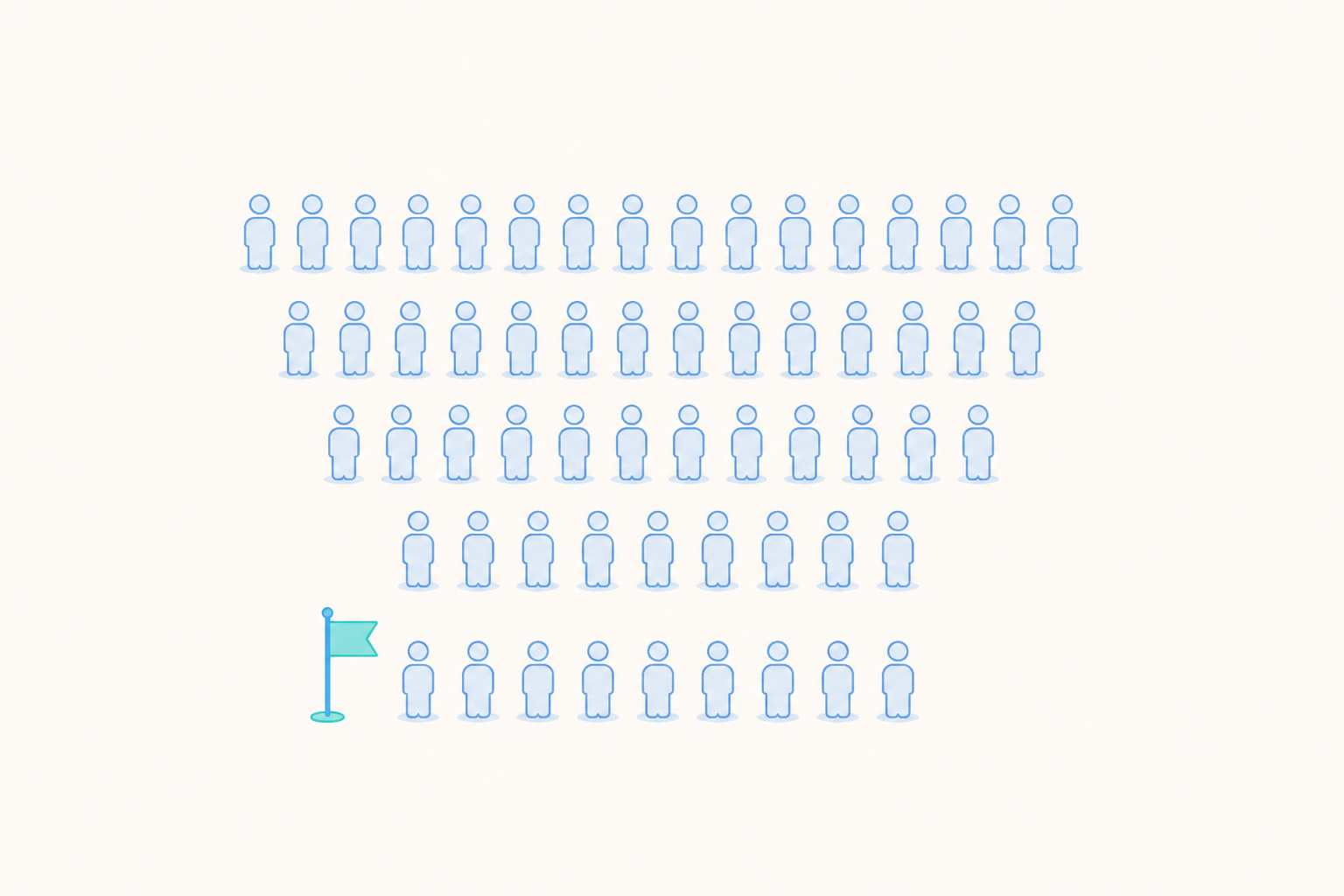
ARPU (average revenue per user) is the revenue from a period divided by the users who were active in that period. ARPPU (average revenue per paying user) divides purchase revenue by the users who paid. ARPDAU (average revenue per daily active user) is one day's revenue divided by that day's active users. If a game made $60,000 last month from 50,000 monthly active users, its ARPU is $1.20.
The three formulas are short. Teams still get different answers from the same data, because they count different revenue or different users. We cover those choices, work through one example, and show how you can use the three metrics to find what changed.
What are ARPU, ARPPU and ARPDAU?
ARPU = revenue in the period ÷ active users in the period
ARPPU = purchase revenue in the period ÷ paying users in the period
ARPDAU = revenue on the day ÷ daily active users on that day
| Metric | Divides revenue by | Answers |
|---|---|---|
| ARPU | All active users | How much the average player or user brings in |
| ARPPU | Users who paid | How much purchase revenue each paying user brings in |
| ARPDAU | Users active that day | How much revenue each daily active user brings in, tracked day by day |
When both are calculated on purchase revenue, ARPU and ARPPU differ only in the denominator. That is what makes them useful together, as the worked example below shows.
Decide three things before you calculate
The period. ARPU over a day, a week and a month usually gives three different numbers, because each period has its own revenue total and its own count of distinct active users, and someone who plays every day counts once in the monthly total and once in every daily count. When you compare ARPU with ARPPU, use the same period for both, and if ARPU includes ad revenue, keep purchase revenue per user and ad revenue per user as separate lines. ARPDAU is always calculated day by day, even in a monthly report.
Which revenue. Decide whether in-app purchases count at the gross price or after store fees, whether refunds are taken out, and whether ad revenue is included. A game that earns from both purchases and ads needs ad revenue in ARPU, or ARPU will understate what an average player brings in. ARPPU is usually calculated on purchase revenue only, so it reports purchase revenue per payer. Paying users can watch ads too, so keep ad revenue in its own line. Convert everything to one currency first.
Which users. Count users who were active in the period, by your own definition of active, such as at least one session. Counting all-time installs or registered accounts makes ARPU look lower than it is, because those totals include people who are no longer active.
Write the three choices next to the chart. The same habit makes retention numbers comparable, as our guide to calculating retention rate explains.
A worked example
The numbers in this example are illustrative. Suppose a game reports these figures for one 30-day month.
| Input | Value |
|---|---|
| Monthly active users | 50,000 |
| Paying users | 1,500 |
| In-app purchase revenue | $45,000 |
| Ad revenue | $15,000 |
| Average daily active users | 12,000 |
ARPU = ($45,000 + $15,000) ÷ 50,000 = $1.20
Payer rate = 1,500 ÷ 50,000 = 3%
ARPPU = $45,000 ÷ 1,500 = $30, using purchase revenue only
Average ARPDAU over the 30-day month = $60,000 ÷ (30 × 12,000) = about $0.17, weighted by each day's active users. For a single day, divide that day's revenue by that day's active users.
The numbers connect. Purchase revenue per user is $45,000 ÷ 50,000 = $0.90, which is the same as payer rate × ARPPU, 3% × $30. Ad revenue per user is $15,000 ÷ 50,000 = $0.30. Together they make the $1.20 ARPU.
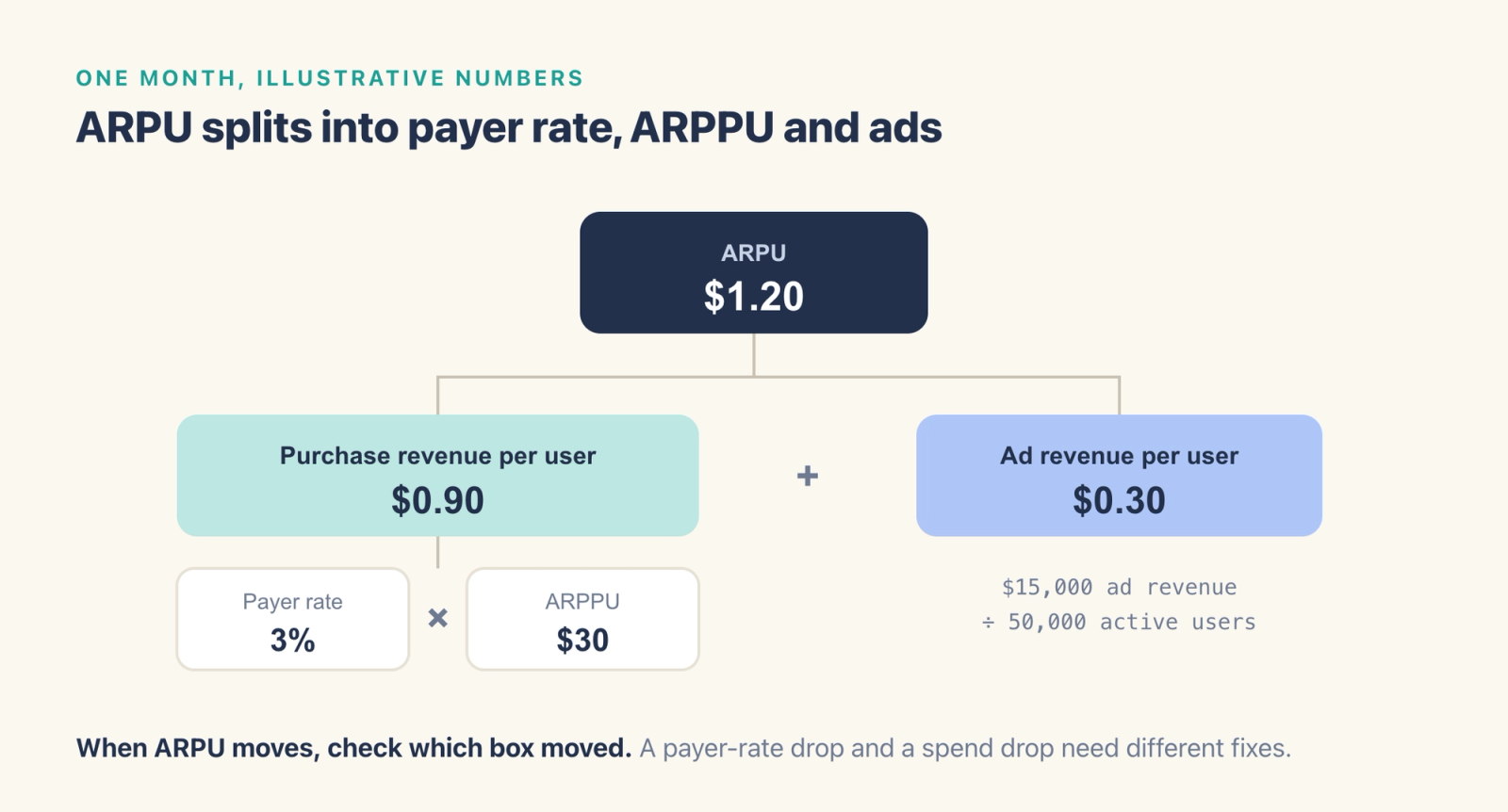
ARPU = payer rate × ARPPU + ad revenue per user
This split is the main reason to track all three metrics together. Compare ARPU across months to see the overall change, then compare payer rate, ARPPU and ad revenue per user to find where it came from.
What caused ARPU to change?
Say ARPU drops from $1.20 to $1.05 the next month. There are three places to look.
- Payer rate. If 1,250 of 50,000 users paid, the payer rate fell to 2.5%. Fewer people made a first purchase or a repeat purchase. Look at the purchase funnel, recent price changes and whether a starter offer ended.
- ARPPU. If the payer rate held but ARPPU fell, average purchase revenue per payer went down. A bundle that sold well may have rotated out, or a few large spenders paid less than usual.
- Ad revenue per user. If both purchase numbers held, check ad fill and ad frequency.
For ARPPU, also check whether a handful of large spenders are moving the average. Total each payer's purchases over the period, then compare the average and the median of those totals. When some payers sit far above the rest, the median represents the typical payer better than the average. Then split payers into spend ranges, such as under $5, $5 to $50 and over $50, to see which range changed.
From ARPDAU to LTV
ARPDAU is the daily version of ARPU, which makes it a good number to watch through an event or a sale. Plot it every day, mark the event dates, and compare it with the same days in an earlier month.
You can also use ARPDAU for a rough estimate of lifetime value. Multiply ARPDAU by the average number of days a user is active in a window. With an ARPDAU of $0.17 and users active on 6 of their first 30 days, a rough 30-day value is about $1.02 per user.
For a better estimate, follow a cohort of new users, add up their purchase and ad revenue day by day, and divide by the size of the cohort. Users who stay longer often spend differently from users who leave early. To see that difference, split the cohort by how long users stayed active and calculate revenue per user for each group. See our guide to the LTV formula for games and apps for the steps.
How to raise ARPU
For each change below, measure the matching part of the split before and after.
- First purchase. A low-priced first offer can raise the payer rate, so test it against your current offer. Measure the share of new users who pay within their first week.
- Offer and price tiers. Add price points so payers who want to spend more can do so. Measure ARPPU and the share of payers in each spend range.
- Ad frequency. More ads can raise ad revenue per user, and a heavier ad load can also cost retention. Measure ad revenue per user and day 7 retention together, because a change that lifts one can cut the other.
- The LiveOps calendar. Run events and limited-time content so returning players have a reason to spend. Measure ARPDAU on event days against the days around them. Our LiveOps guide covers how to plan the calendar.
Use the split to see which lever changed the result. The team then decides which trade-off is worth it, for example how much retention it will give up for a higher ad load.
How to calculate ARPU, ARPPU and ARPDAU in Agentic Engine
In Agentic Engine, Events Analysis supports formulas for ratio metrics such as payment rate and ARPU, using the four basic arithmetic operations. Build ARPU as the revenue you include divided by active users, and ARPPU as purchase revenue divided by paying users. For ARPDAU, use daily granularity, so each day's revenue is divided by that day's active users.
The Per User calculation method divides the sum of a property by the number of users who triggered the event, which gives payment amount per paying user in one step. Median shows the median payment amount across payment events. Compare it with the average payment amount, and if the average sits well above the median, look at the largest payments. To see how spend per payer is spread, use Distribution Analysis to divide users into ranges of cumulative payment amount.
Once you have checked a definition, save it with Create Metric. Other people in the project can then use the same ARPU in their own reports, and when the definition is edited, reports that use the metric pick up the change. The saved metric keeps the event, calculation method and filters, but leaves out global filters, so set those again in each report. For lifetime value, turn on Also Show in Retention Analysis and configure LTV, the cumulative payment amount of a cohort of new users divided by the cohort's size. The same feature calculates LT, the average number of days those users were active, which is the second input to the rough estimate above.
Frequently asked questions
What is ARPU?
ARPU stands for average revenue per user. It is the revenue in a period divided by the number of users active in that period. If a game had $60,000 in monthly revenue and 50,000 monthly active users, its ARPU would be $1.20.
What is the difference between ARPU and ARPPU?
ARPU divides the revenue you include by all active users in the period. ARPPU divides purchase revenue by the paying users in that period. When only purchase revenue is counted, ARPU equals the payer rate multiplied by ARPPU.
Does ARPU include ad revenue?
It should when the product earns from ads. Leaving ad revenue out understates what an average user brings in. ARPPU is usually calculated on purchase revenue only.
What does ARPDAU mean?
ARPDAU stands for average revenue per daily active user. It is one day's revenue divided by the users active that day, and teams use it to track revenue day by day, for example during an event.
Is a higher ARPPU always better?
When the payer rate holds, a rise in ARPPU raises purchase revenue per active user. If ARPPU rises because fewer, larger spenders remain, ARPU can still fall. Read ARPPU together with the payer rate and retention.
Where to go next
ARPU measures revenue per active user over the period you choose. To see how long users stay, start with retention rate and churn rate. To turn both into a value per new user, see the LTV formula for games and apps, and for ad-funded games, our guide to mobile ad monetization.