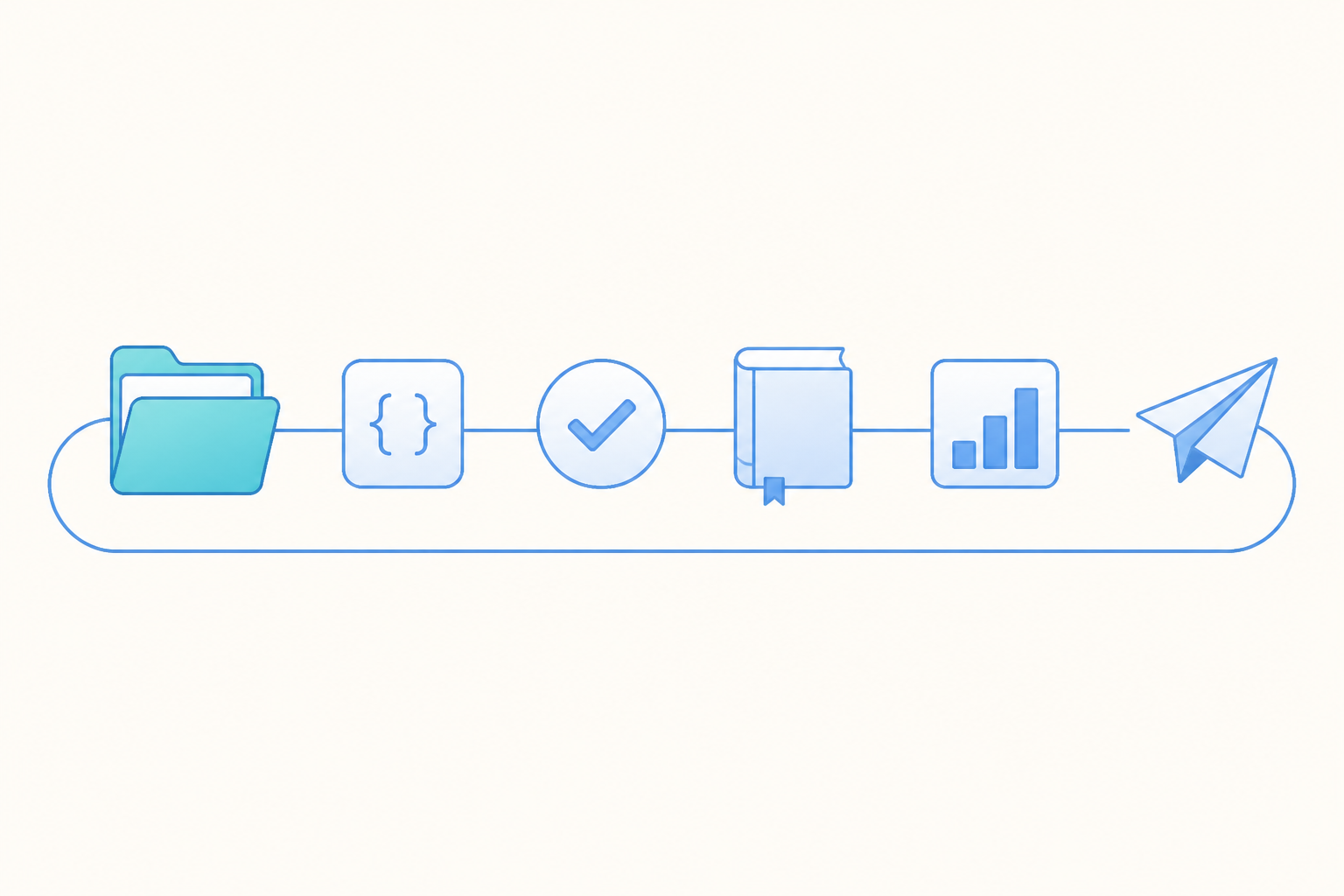

A custom AI agent is an AI agent your team sets up for one recurring job, with its own instructions, knowledge, Skills, tools, model and permissions. A ready-made agent handles general questions well. A custom agent follows your metric definitions and routines, such as the Monday report your analyst now builds by hand for every game in the portfolio.
This guide is for product, growth and data teams at game and app companies. Picking a model is usually the quick decision. Most of the work goes into writing down the definitions your team already argues about and deciding which actions should wait for a person. The sections below follow the order a pilot usually takes, from deciding whether to build to testing before rollout. Numbers in the examples are illustrative.
What is a custom AI agent?
A custom AI agent is a reusable agent configured for a specific job, team or workflow. It pairs a general language model with the context that job needs, such as written instructions, the data it may query, the methods it should follow and the tools it may call. Once it is saved, everyone allowed to use it starts from the same instructions, references and tools, which saves pasting a long prompt into a chat window each Monday and hoping it matches last week's.
It helps to compare three options a team usually has in front of it.
| Option | Who sets it up | Good fit |
|---|---|---|
| Chat assistant | Each user, through prompts and any saved settings | One-off questions and drafts |
| Ready-made agent | The vendor | Common jobs such as ad hoc analysis or a report explanation |
| Custom AI agent | Your team, often starting from a copy of a ready-made agent | Recurring jobs that depend on house definitions, tools or formats |
Many teams begin with a ready-made agent and keep notes on what it gets wrong for their games. Once those notes become instructions, reference documents and methods, the agent is custom, and people who never saw the notes can reuse it.
How to choose between a ready-made and a custom agent
Ask four questions about the job before anyone writes a line of instructions. Does it repeat at least weekly? Does it depend on definitions your company owns, such as what counts as an active player or whether revenue is net of store fees? Does it need a tool outside the analytics system, such as a team chat channel, a shared sheet or a ticket queue? Does a fixed audience read the output in a fixed format?
As a rule of thumb, a custom agent pays off when the job recurs and depends on your team's own definitions and systems. For an occasional question, start with a ready-made agent. In an illustrative case, a Monday live-ops report for three games answers yes to all four, because it repeats, it uses house definitions of retention and revenue, it posts to a sheet and the same producers read it every week. A question such as why Day 7 retention dipped on Android last Tuesday answers yes to one at most, and a ready-made analytics agent with a good prompt is usually the faster start when the question comes up once and uses standard metric definitions.

A custom agent also costs upkeep. It needs an owner, and its definitions drift as the tracking plan, the game economy and the team change. If nobody will keep it current, a saved prompt or a shared method that a ready-made agent can follow is the lighter choice, and you can promote it to a full custom agent once the job proves it repeats.
What goes into a custom AI agent
Most custom agents combine the same six parts. The model is the part teams debate longest, while the other five decide whether the output matches what your team would have produced by hand.
Instructions. The system prompt states the agent's role, the limits of its task, how it should work and what the output looks like. Write it the way you would brief a new analyst, naming the games, the metrics, the week boundary (for example Monday to Sunday in UTC) and what to do when data is missing.
Knowledge. Metric definitions, the tracking plan, the LiveOps calendar and support playbooks belong in reference documents the agent can search. In an illustrative example, a team defines a new payer as a player whose first purchase fell within the past 30 days. Put that definition in the agent's reference material, then use the backtest later in this guide to check its queries against past reports.
Skills. A Skill is a written method for a type of task, covering when to run it, which steps to follow and what standard the result must meet. Keeping a method as a Skill makes it reusable, and a company Skill is shared within the company and maintained by admins.
Tools. The Model Context Protocol (MCP) is an open standard that lets an agent call outside tools such as team chat, documents or a ticket system. Give the agent only the tools its job needs.
Model. Pick a model for the task, or follow a company default if admins manage models centrally. A fixed model can reduce variation between runs, and a centrally managed default suits teams that want admins to control model choice.
Permissions. Decide who may use, edit and share the agent, what data it can read, and which actions wait for a person. The next section covers this part.

How to scope data access and approvals
The safest default is that an agent works with the permissions of the person using it, so a producer on the North America team gets North America numbers and nothing more. Avoid connecting tools through one shared account with wide read access. In Agentic Engine, a company MCP shares the service configuration only, and each person still completes their own sign-in and needs the relevant business permissions. Reference documents need the same care, since a knowledge base shared with the whole company can expose a pricing plan that only the monetization team should read. Treat text that comes back from documents and tools as data, because a planted instruction can try to steer the agent.
Scheduled runs need one extra decision. For example, a report that runs at 8 AM every Monday has nobody at the keyboard, so write down whose identity it runs under and who can trigger it by hand.
For actions, sort what the agent can do into three tiers. Reads, such as a query or a summary, run within the person's permissions. For writes, such as posting to the report sheet, creating an audience or editing a dashboard, ask the agent to show its plan first and let it run once the person confirms. High-risk writes, such as deleting an asset, should ask a second time. The agent does the legwork, and a person decides what changes. Our guide to AI agent governance covers scopes, spend limits and audit records in more depth, and the NIST AI Risk Management Framework is a useful outside reference for the risk review.
How to test a custom agent before rollout
Test a custom agent against work your team has already done, where the right answers are known. A good demo on this week's data proves little, because the agent can sound sure while reading the wrong revenue column.
Take the Monday live-ops report as an illustrative example. Run the agent on the last 8 weeks for 3 games and compare 5 headline numbers per game with your dashboards, which gives 120 checks in this example. Suppose 114 match on the first pass in this example and the 6 misses all sit in one game's revenue line. The cause in this example is a definition gap, because that game records refunds as a separate event and the agent counted gross revenue. Add the refund rule to the metric definitions, rerun, and the example reaches 120 of 120. Then check two more weeks you held back from the fix, so the corrected rule is tested on data it has never seen.

Start with accuracy, then run four more checks. For permissions, run the agent as someone who lacks access to one game and confirm the report marks that game as restricted and shows none of its numbers. For approvals, ask it to show its plan before posting to the shared sheet, and confirm it posts only after you approve. For missing data, run it on a week with a known tracking outage, or with a tool that times out, and confirm it flags the gap and stops short of a conclusion. Then run a shadow period of two weeks in this example, where the agent and the analyst each produce the report and the team compares them on Monday afternoon.
Write the results down with the date and the version of the instructions. When someone changes the definitions, rerun the same test set to see whether the agent still matches.
Common mistakes with custom AI agents
One agent for everything. Picture, as an illustrative example, one agent with a 3,000 word prompt that handles weekly reports, campaign checks and player support. Each job pulls the instructions in a different direction, and the agent gets worse at all three. Split by job, and if one report needs results from several jobs, define how an agent team brings them together.
Definitions living only in the prompt. When the retention definition sits inside one agent's instructions, the next agent gets a different answer. Keep definitions in shared reference documents that every agent reads.
A long tool list. Each extra tool is one more way to post the wrong thing to the wrong place. A reporting agent needs query access and a document tool, and it has little reason to send push messages to players.
A shared identity with wide access. A service account that reads everything makes it hard to tell later who saw what, as covered above.
No owner. An agent with no named maintainer falls out of date quietly when the person who built it changes teams. Name an owner, and review the instructions whenever the tracking plan changes or at least once a quarter.
Trusting one good run. A backtest on past weeks can expose definition gaps that a single run hides. Keep the test set and rerun it after every change to instructions, Skills or model.
How to build a custom agent in Agentic Engine
In Agentic Engine, custom AI agents are built on the Agent page under Capability Center, where you configure an Agent's model, instructions and available capabilities. The steps below follow the docs.
Start from a copy or a new Agent. System Agents are provided by the platform, Company Agents are maintained by admins with company resource management permission, and Personal Agents are created and maintained by you. For a system or company Agent that offers Copy to Personal, copying creates an independent personal Agent you can edit. To start fresh, click the add Agent button, fill in the basic information, configure MCP services and Skills, review and save.
Write instructions and choose a model. Set the name, description and category, and use the system prompt to define the Agent's role, task boundaries, way of working and output requirements. For the model, choose Company default, Personal default or a specific available model. Turning on Allow model switching in conversations lets users pick other available models in a conversation without changing the Agent's own setting.
Add Skills and tools. Select Skills, which describe when to do a task, how to do it and to what standard. You can write a Skill directly or upload a single .md file or a .zip package, with a name such as weekly-analysis and a version such as 1.0. Then select MCP services for outside tools, using templates for Slack, Feishu OpenAPI, Lark OpenAPI or DingTalk, or a custom connection over SSE, HTTP or Streamable HTTP.
Give it knowledge and conventions. Knowledge bases sit outside the Agent form, and you select them through the workspace capability settings or in a conversation, so the agent can look up product rules, business definitions and project background. After sources change, compile the knowledge base again so the updates become part of the newly published knowledge. Space Memory keeps a workspace's long-term background and conventions so later conversations in the same space carry them forward.
Test, then schedule. The docs recommend starting with a small task in a conversation to check the output, model and tools before ongoing use. Automations then run Agent or Agent Team tasks on a schedule and keep the conversation and results of each run. Agent Team (Beta) combines specialized Agents that break down a task, work on it together and summarize the results in Leader-Worker mode.
Permissions and confirmations. The agent's tool calls use the business permissions of the person asking, and knowledge bases keep their own access settings. Adding a Skill or MCP service to an Agent grants no extra business data permissions. Write operations run when you ask; you can ask the agent to show its plan first and it runs once you confirm; deletes ask a second time. Agent automations in a shared space run with the automation creator's identity, and when other members trigger one by hand, the actual operator is recorded. Personal Agents are excluded from shared-space Agent automations.
Share it with the team. Share sends an independent personal copy to each recipient in the same company once the recipient accepts it. Submit to Company sends the Agent to admins, who review it in Approval & Sharing and publish it for company use. Personal MCPs and fixed personal models block sharing and company publishing. Remove them, switch to available company resources, or adjust the model reference as prompted. Teams that work in Claude Code or Codex can reach the same projects through ae-cli, which uses exactly the person's account and project permissions.
Frequently asked questions
What is a custom AI agent?
A custom AI agent is an AI agent set up for one recurring job, with its own instructions, reference knowledge, reusable methods, tools, model and permissions. Teams build one when a job repeats, depends on house definitions and produces output in a fixed format, such as a weekly live-ops report for each game in a portfolio.
How is a custom AI agent different from a chatbot?
A chatbot is a conversational interface, and many can use saved instructions, reference material and tools. A custom agent is a reusable setup for one job, with instructions, knowledge, methods and tool access the whole team shares, which lets it follow your definitions, call the tools you connect and run on a schedule with the same setup every time.
How long does it take to build a custom AI agent?
The configuration itself is usually the quicker part. Plan more time for writing down definitions, gathering reference documents and running a backtest on past weeks, since those steps decide whether the team trusts the output.
Do you need to code to build a custom AI agent?
Usually no code is needed for the agent itself, since instructions, knowledge and methods are written in plain language and tools connect through MCP. Code helps when a method needs a script, such as a data check, or when you connect an internal service that has no ready-made connector.
Where to go next
Before you widen access, read our guide to AI agent governance for scopes, data permissions and spend limits. If your first agent will watch onboarding or a store flow, our guide to funnel analysis covers the steps it should check, and the retention rate guide gives the D1, D7 and D30 definitions worth putting in its knowledge. For the wider picture of agents working on product data, see what agentic analytics means.
Pick one weekly job your team already does by hand, write down its definitions this week, and backtest an agent against a set of past weeks before anyone relies on it.